Image credit: Josie Clark for Kyusai
The Logitech G Pro X2 Superstrike looks and feels like a Superlight; it’s the same weight, same shell, same sensor. So what’s actually different? It’s got X2 Pro written on it, with black accents.
But the Logitech G Pro X2 Superstrike does have a special feature we have not seen in the scene yet, the Haptic switches being dubbed a “legal cheat code,” causing some controversy in the scene whether it should go the way of snaptap and be banned. Is that enough to make us actually spend the extra money?
Logitech G Pro X2 Superstrike price and availability

The Logitech G Pro X2 Superstrike price is the same as the Superlight 2 was at launch, already showing its similarity. It’s priced at £159.99 / $179.99 at many outlets, including Argos, Amazon, Currys, and Logitech. Logitech really wanted this product to be available everywhere, for everyone to buy, clearly expecting strong sales.
But it is only available in the signature “Lunar Eclipse” colour scheme, so you either like it or you don’t with this one.
Logitech G Pro X2 Superstrike specs
This is a shocker, but the specs are essentially identical to the Superlight 2. We’ve got the same HERO 2 sensor, just upgraded to 44,000 DPI instead of the max 32,000 that the Superlight 2 offers. Let’s be honest: who is actually using more than 1600 DPI, and if you are, a better mouse won’t help you.
On top of that, max polling is 8,000Hz on both, which is now the industry standard and expected on all mice released today. Personally, I will always use 1,000Hz anyway, but this is a personal preference.
But the last thing the Logitech G Pro X2 Superstrike specs are copying from the Superlight 2 is the weight and battery life; it’s a difference of 1 gram: 60g for the Superlight 2 and 61g for the Superstrike X2. The battery life is slightly better, with up to 95 hours compared to 90 hours from the Superlight 2
Now this is where the Logitech G Pro X2 Superstrike will earn its place, in the main switches it uses, while the Superlight uses Lightforce hybrid switches, which were very good for their time. We have now seen the Haptic Inductive Trigger, and, if, like me, you didn’t know exactly what that meant, it means the mouse doesn’t actually click and just simulates it.
It has many meanings, but the main point is that you will click faster than anyone else on the server with this ultra-low latency switch.
Logitech G Pro X2 Superstrike performance
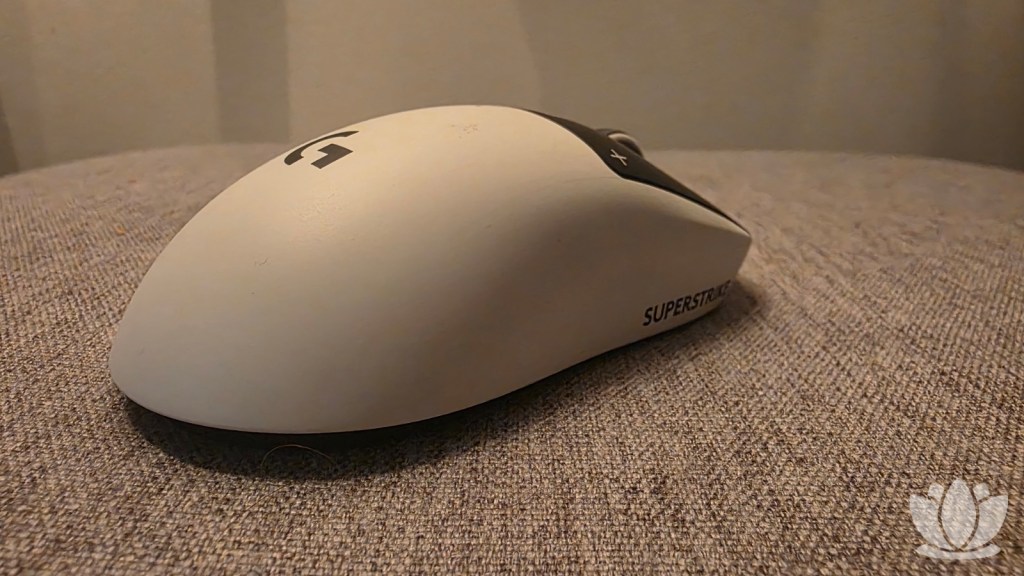
Honestly, this is the best mouse I’ve ever used, but only just because it’s very similar to all the others that Logitech has released. It lacks the innovation that we used to see. It feels like we’ve hit a ceiling with sensors and other technical features.
Yes, the haptic switches are a bit of a game changer, and I did notice winning more fights, but this won’t make you play better if you were missing shots before; you’ll just do it a bit faster.
You can tell it’s high quality, and if you’re in the market for an upgrade, this one is definitely one I can recommend. But only if you have an old enough mouse with maybe an older sensor, if you have a Superlight or even a Superlight 2, it’s just not worth the financial investment, as it’s not exactly cheap for a mouse.
It firmly places itself at the peak of pricing and premium mice for what essentially feels like a Superlight 2 with better switches, so if you’re a casual gamer with money to burn, why not? But if you’re a pro player or serious about being competitive and want to get this extra advantage, then this is a mouse you should consider.
FAQs
In-game, the two side buttons can be bound to pretty much any action. In CS2, I use them as HE and flash grenades, so I can quickly pull them out when needed. In normal window browsing, they default to going back and forward one page.
At all retailers, you can get this mouse for £159.99 / $179.99, except on the Logitech website, where they are running a sale that includes a Pro X TKL Rapid keyboard and PRO X 2 headset.
While it doesn’t feel 100% like a click, it is very similar; it’s more of a thump, like when you click on a laptop trackpad. It’s minimally different and easy to get used to. Not a bad trade-off for the benefits, in my opinion.

About The Author