Em Stonham for Kyusai
Investing in your first camera as a gaming YouTuber can be both exciting and daunting all at once, particularly if you’re not familiar with what makes a high-quality camera. While you can make brilliant content with a phone or a webcam, sometimes, a nice camera can help your videos land more strongly with viewers.
As Social Lead at Kyusai, I spend a lot of time filming and recording audio for our social media content. I recently picked up the Canon PowerShot V10 as an upgrade for my setup, and I’ve been impressed with what it can do for gaming videos and event coverage so far.
Small but mighty
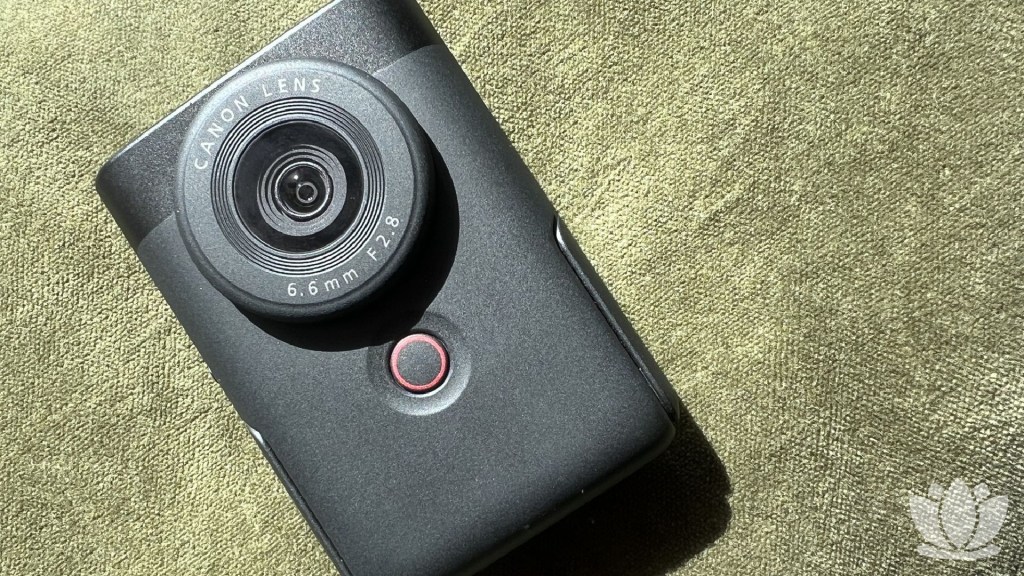
The Canon PowerShot V10 is a compact camera that’s advertised as being ideal for vloggers and first-time YouTubers. Available in black, black and silver, or white, the camera comes in at $479.99, making it more affordable than some beginner cameras but still fairly pricey when you’re getting started.
Measuring roughly 2.50 × 3.54 × 1.35 inches, as per the official product specifications, it’s a palm-sized piece of kit. It’s just over 7.41 oz in weight, meaning it’s exceptionally lightweight and easy to take around with you if you’re filming on the go.
With 4K video recording and stereo microphone pickup, the PowerShot V10 packs a fair amount of punch for its size.
While it’s not going to out-spec full-size video cameras on sheer specs or overwhelm avid tech lovers, I’ve found the visual and audio quality ideal for filming YouTube shorts, on-the-go vlogs, and voiceovers for longer pieces of content.

Setting-wise, the PowerShot V10 offers standard sliders and scales for you to adjust as desired; you can adjust brightness directly on the touchscreen, along with scale, auto-tracking, digital zoom, color filters, and tone.
There are more in-depth adjustments available in the menu, ranging from image stabilization and auto leveling to shooting support like reversed display, a grid display, or a self-timer to help with hands-free shooting.
When filming videos, you can choose from four modes: auto movie, smooth skin movie, movie IS mode for stabilization, and manual exposure mode. While I’ve spent most of my time using the auto movie mode for my Let’s Play face camera footage and vlogs, having the freedom to swap between these is valuable.
Flipping good
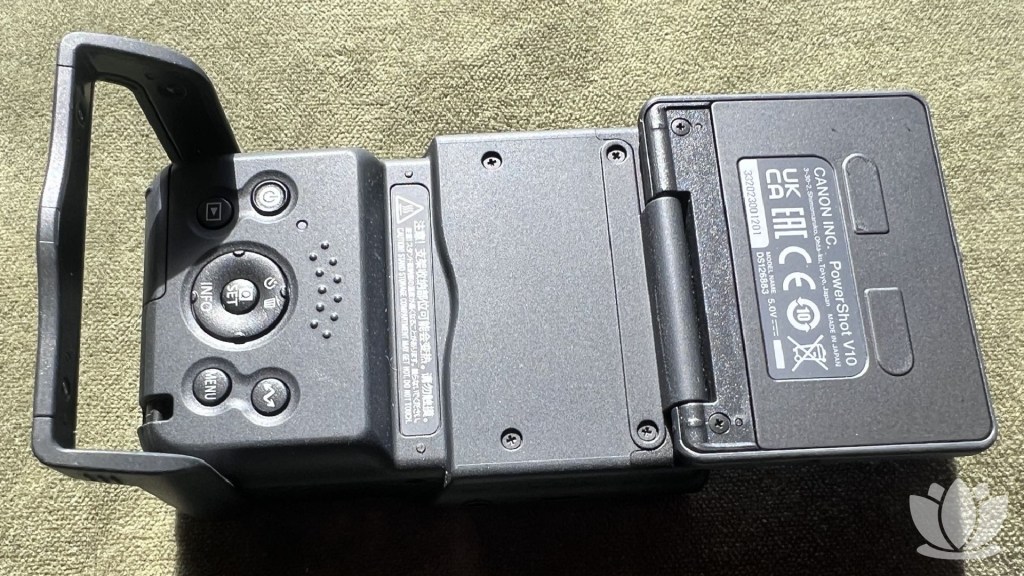
While the PowerShot V10 offers the most value for video and audio, it also has a still shooting mode. I’ve admittedly found this to be less useful for my content creation, but it produces clear photos that’d work nicely for thumbnails or social media.
Unlike the video shooting functionality with its four separate modes, the PowerShot V10 has only an auto photo mode.
Something I love about the camera is the ability to flip the screen around and film with it facing you. The screen flips over completely, letting you set up easily for on-screen appearances and on-the-ground vlogs.
It works nicely when filming with a tripod or using the camera’s built-in stand. I personally use it for unboxing-style videos, or for longer-form videos like our monthly round-ups, where I’m talking to the camera for a longer period of time; it’s easy to record without having to flip the camera around.

Looking at whether the Canon PowerShot V10 is valuable for gaming YouTubers, my answer would be a resounding yes. Based on my experience with it so far, it can be used for:
- Setting up a face camera for Let’s Play content
- Filming on-the-ground vlogs and live event coverage
- Shooting with a green screen for YouTube shorts and TikToks
- Filming audio for voiceover content
The PowerShot V10 also has livestreaming capabilities, which is worth keeping in mind if you stream on Twitch or YouTube. While it’s not part of my usual content output, I can see this camera being particularly useful for the IRL streaming category due to its small size and light weight.
Setting up the camera and transferring my footage over to my phone and PC has been relatively quick and painless during my time with it. The Canon Camera Connect app – which is used to transfer footage – can be a little clunky at times, but it’s easy to navigate and largely polished.
If you’re looking for a low to mid-range camera as a gaming YouTuber or content creator, I can wholeheartedly recommend the Canon PowerShot V10. While it is still on the pricer side, I found it to be a worthwhile investment for the quality of my content, both visually and audibly.
FAQs
Yes, if you’re a beginner vlogger or YouTuber looking to upgrade your setup without breaking the bank, the Canon PowerShot V10 is worth considering as a low- to mid-range option.
Yes, if you’re looking to film yourself while screen recording gameplay, the Canon PowerShot V10 fits nicely on a tripod and captures high-quality footage without taking up too much desk space.
Yes, the Canon PowerShot V10 can record video and take photos. The shooting mode can be easily swapped in the touchscreen menu.
MicroSD, MicroSDHC, and MicroSDXC memory cards are the appropriate card types for the Canon PowerShot V10.