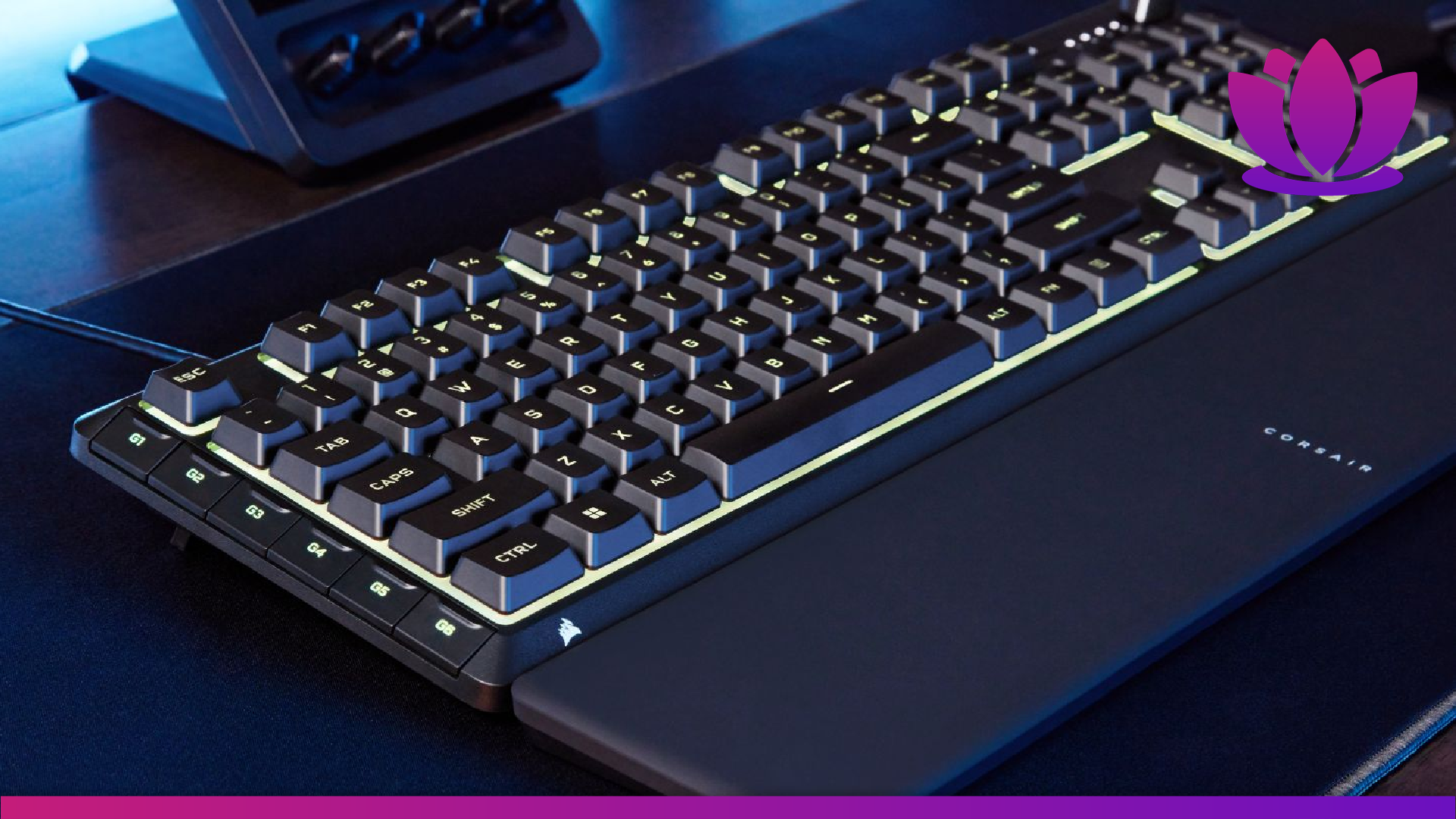
Image credit: Corsair
I am a big fan of Corsair products, specifically their keyboards. The K70 is my everyday keyboard, and I have an M65 Pro mouse and the MM800 Polaris mousemat – I went through a bit of an RGB phase a few years ago.
These products have served me well for years at this point, so when Corsair reached out and offered to send their new Skiff 100 and Skiff 100 Plus for review, I jumped on the opportunity. Here’s Kyusai’s double review of the Corsair Skiff 100 and Corsair Skiff 100 Plus, based on my testing.
Out-of-the-box impressions
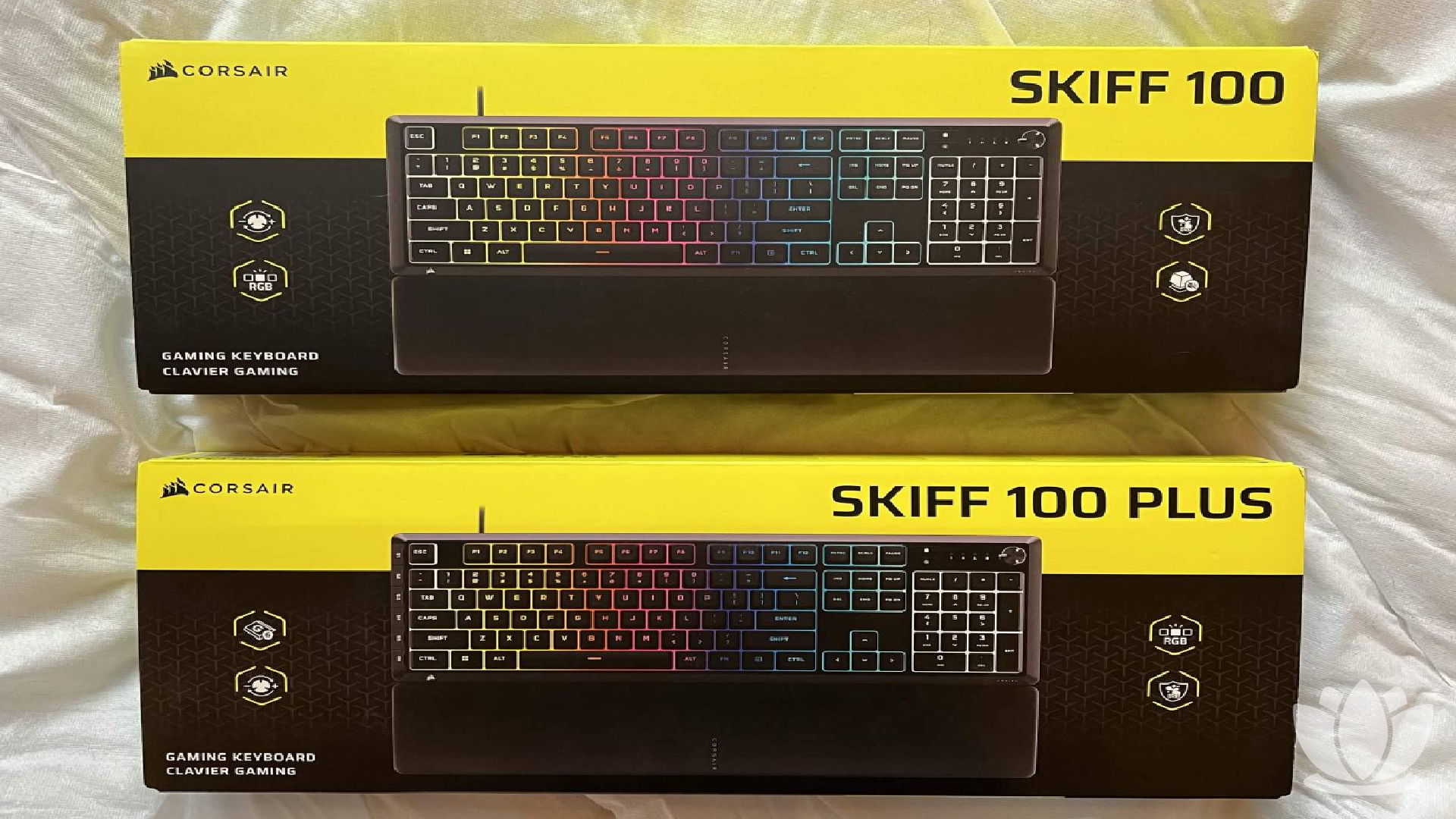
A lot of thought went into the packaging of the keyboard, with both a keyboard and wrist wrest included. The box displays all the features nicely, and I do appreciate the attention to detail of wrapping the keyboard itself in paper, with a little Corsair logo sticker to hold it all in place.
Taking the keyboard out and feeling it in your hands, it does become immediately clear that the intended space for this keyboard is the mid-range. The plastic construction is not as satisfying or sturdy as a metal chassis; however, that is not to say the keyboard feels flimsy. A little light, yes, but the build quality feels solid.
The Skiff 100 and Skiff 100 Plus are both membrane keyboards. The keys themselves are quiet and responsive, making them both solid choices for shared spaces and general use. The keycaps are also nicely recessed and comfortable.
The 100 Plus additionally comes with programmable “G-keys” – more on those later. Other than said keys, both boards are identical. Both models are cabled keyboards, having a standard light, rubber-coated cable. Would I have liked it braided? Yes, but again, this is a mid-range option, so I wasn’t expecting the moon.
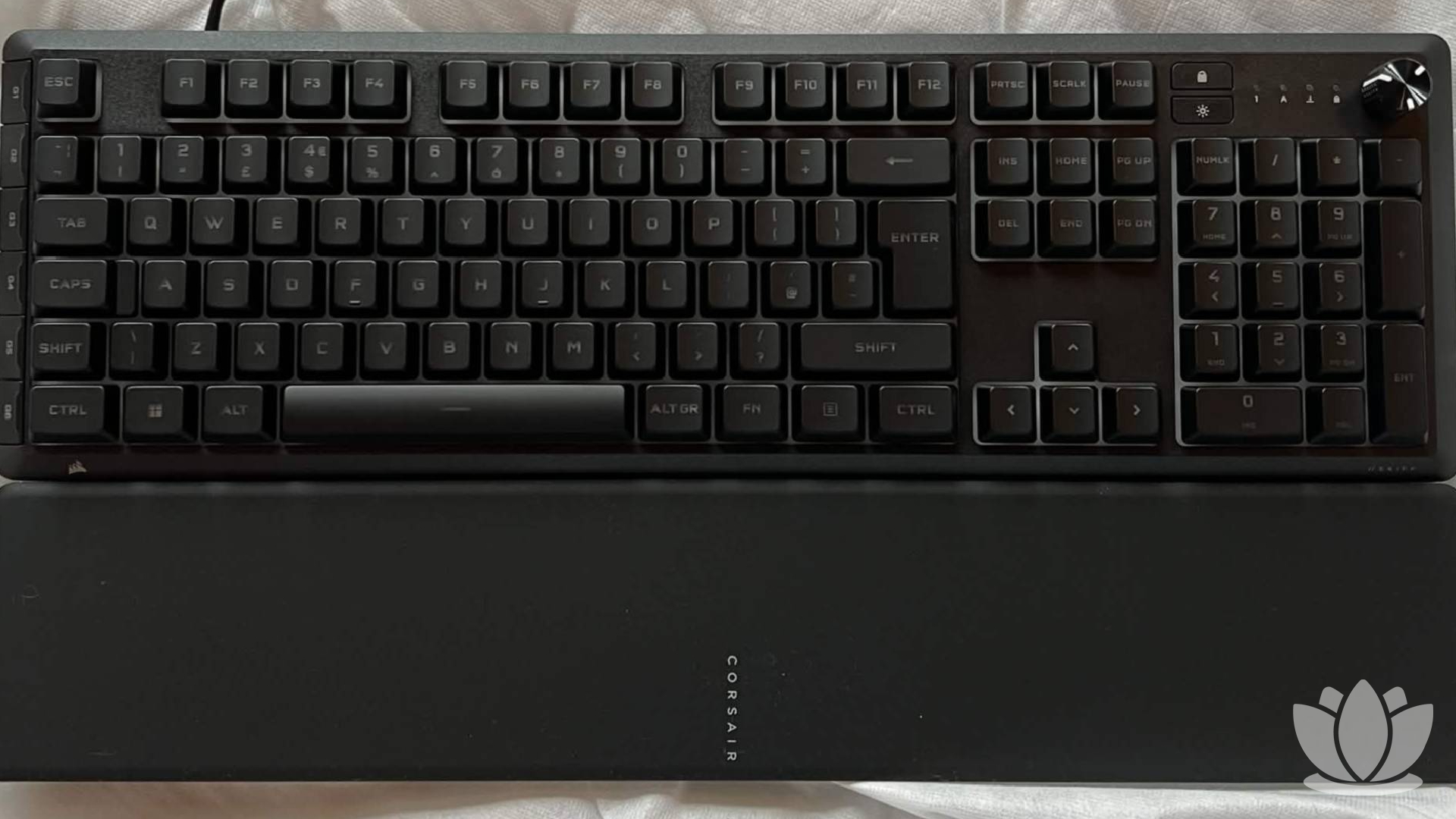
There is additionally a media control dial. This is located above the numpad on the right, and is… fine. Requiring the use of the Fn key to do certain actions is annoying, and I would’ve appreciated dedicated buttons. The dial does have a nice tactile feel while turning, however, clicking it in takes too much force.
I also had no issues with set-up. I have a litany of Corsair products already, so I had already downloaded their proprietary peripheral control software, ICUE. If I remember correctly, it wasn’t too much hassle to set up the first time, and I adore the program. It allows for so much customization and is incredibly intuitive.
It has been several years since I first downloaded ICUE, though, so take my “set-up was easy” with a pinch of salt.
With all of that said, the build quality of the Skiff is about what you’d expect for a mid-range keyboard. I can comfortably say you won’t be able to chuck it off a dam and have it survive, but for a keyboard that will sit on a desk, it’s good.
I do see some issues with weight, with the keyboard perhaps being prone to move around if pushed. The rubber feet do well to prevent this, for the most part, even if the risers on the bottom don’t really give much rise.
Time to nitpick
Now, these keyboards are a good choice if you don’t care so much for your peripherals and only want to spend a fair amount on something that will last you a long time. For the price, they’re not a bad choice for an entry-level user – but that does take me to my main criticism of both models.
Both of these boards exist in this limbo state between high-end and low-end, with them not meeting the requirements for me to consider them as either.
Don’t get me wrong, both these products are very reasonably priced, and I can recommend them if you’re looking for specifically a membrane keyboard in the mid-price range, but that begs the question: who is looking for that?
If you want a cheaper keyboard and you don’t care for peripherals, you’ll get something more affordable. If you’re looking for something on the higher end of mid-range, there are better options, many of which are mechanical as opposed to membrane. To this point, it’s somewhat confusing why this product exists at all.
Enough semantics, let’s get into some other reasons why I don’t love this keyboard. The wrist rest is a mixed bag. While I’m conflicted on the matte finish, as it is comfortable, my main gripe is that it’s not really tall enough to actually rest your wrists on.
And specifically on the Plus model, the G keys are poorly thought out. As a person with small hands, they’re too far away to be comfortably used while having one hand on WASD. Additionally, they’re not the best buttons, so recognising that you’ve actually pressed them is difficult.
Additionally, if RGB customization is something you’re looking for, I would advise against this keyboard. Instead of having each key individually lit, this uses several “lighting zones”, meaning customization is more limited. Also, this might just be me, but the LEDs used aren’t as vibrant as I would like, often making colors look more pastel than anything.
Overall, the Skiff 100 and Skiff 100 Plus are strong mid-range options if you’re looking for a membrane keyboard with good build quality. As a person who uses a mechanical keyboard, I can’t place who this product is for, but aside from some small issues, both builds are decent overall.
But if you’re after your “forever keyboard”, I’d look at other Corsair tech offerings; specifically, their range of mechanical keyboards is fantastic for any task. I know I’ll be sticking with my K70 until it turns to dust.
FAQs
The Skiff 100 Plus costs $69.99/£59.99, and the base Skiff 100 is $59.99/£49.99. If you’re interested in buying either of these, I’d go for the base model, unless you specifically need macros programmed for non-gaming-related tasks, as the added G keys of the 100 Plus aren’t great for playing esports games.
No, both the Skiff 100 and 100 Plus are membrane keyboards. They’re good membrane keyboards, being satisfying to use and quiet, so if that’s a consideration, these are great picks. However, I’ll always be a mechanical elitist.
I would look at the K55 line of products from Corsair, as many of the features of the Skiff 100 are taken from this line, while being slightly cheaper. If you specifically want a membrane keyboard with RGB customisation, the K55 RGB PRO XT is slightly more expensive than the Skiff, but has per-key RGB. Otherwise, just spend a little more and get one of their mechanical keyboards.
The Skiff 100 was released on July 28th, 2026.